






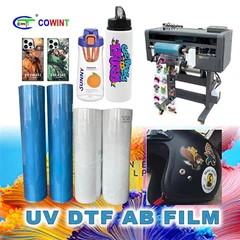
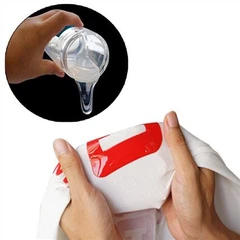


Decorating phone cases with transfer film is a creative and rewarding way to add a personal touch or a unique design to your mobile device. As a transfer film supplier, I'm excited to share with you the step - by - step process of using transfer film to decorate phone cases.
Understanding Transfer Film
Before we start the decorating process, it's essential to understand the different types of transfer films available. There are several options on the market, each with its own characteristics and uses.
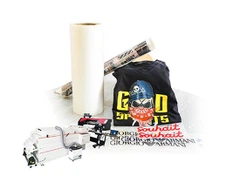
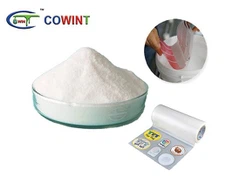
One popular type is the Heat Transfer Film. Heat transfer film uses heat to transfer the design from the film onto the phone case. It offers high - quality and long - lasting prints. The process involves applying heat and pressure to the film, which activates the adhesive and transfers the design.
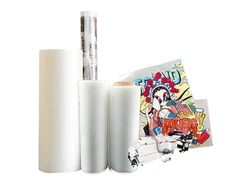
Another type is the COLD PEEL DOUBLE OF MATTE FILM. This film is unique because it doesn't require heat for the transfer process. Instead, it uses a cold - peel method, which means you can peel off the backing film after the transfer without applying heat. The matte finish gives the phone case a sophisticated and non - reflective look.
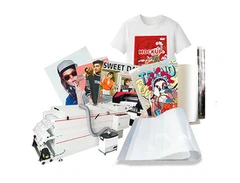
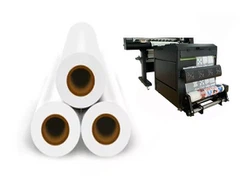
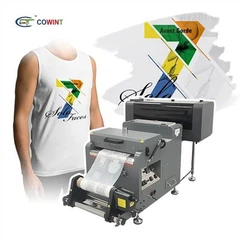
The Digital Transfer Printing Film /PET Roll Film is suitable for digital printing. It can be used with digital printers to print high - resolution designs directly onto the film. This type of film is flexible and can conform well to the shape of the phone case.
Materials Needed
- Transfer film (choose the type according to your preference and design requirements)
- Phone case (make sure it is clean and dry)
- Design source (you can use graphic design software to create your own design or find pre - made designs online)
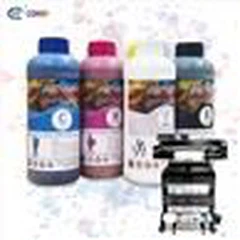
- Printer (if using digital transfer film)
- Heat press machine (if using heat transfer film)
- Scissors or a craft knife
- Tweezers
Step 1: Design Selection and Preparation
The first step in decorating your phone case is to select a design. You can either create your own design using software like Adobe Photoshop or Illustrator. If you're not familiar with graphic design, there are many websites that offer free or paid pre - made designs.
Once you have your design, you need to prepare it for printing. If you're using digital transfer film, you'll need to print the design onto the film using a compatible printer. Make sure to adjust the printer settings according to the type of transfer film you're using to ensure the best print quality.
Step 2: Cutting the Transfer Film
After printing the design on the transfer film, use scissors or a craft knife to cut out the design. Leave a small border around the design to make it easier to handle during the transfer process. Be as precise as possible when cutting to ensure that the design fits perfectly on the phone case.
Step 3: Preparing the Phone Case
Clean the phone case thoroughly with a mild detergent and water. Dry it completely to remove any dust or debris. A clean surface is crucial for a successful transfer as it ensures good adhesion between the transfer film and the phone case.
Step 4: Transferring the Design
Heat Transfer Film
If you're using heat transfer film, place the cut - out design on the phone case in the desired position. Use tweezers to hold the film in place. Pre - heat your heat press machine to the recommended temperature for the specific type of heat transfer film you're using.
Place the phone case with the film on the heat press machine. Close the machine and apply pressure for the recommended time (usually between 10 - 30 seconds). The heat and pressure will activate the adhesive on the film and transfer the design onto the phone case.


After the recommended time, carefully open the heat press machine and let the phone case cool down for a few minutes. Then, slowly peel off the backing film of the transfer film. You should see the design beautifully transferred onto the phone case.
Cold - Peel Double of Matte Film
For cold - peel double of matte film, place the cut - out design on the phone case. Use a squeegee or a credit card to smooth out any air bubbles and ensure good contact between the film and the phone case.
Once the film is firmly in place, you can immediately peel off the backing film. The design will be transferred onto the phone case, and the matte finish will give it a unique look.
Digital Transfer Printing Film /PET Roll Film
If you're using digital transfer printing film, the process is similar to heat transfer film. Place the printed film on the phone case and use a heat press machine to apply heat and pressure. Follow the manufacturer's instructions for temperature and time settings. After the transfer, let the phone case cool and then peel off the backing film.
Step 5: Finishing Touches
After transferring the design, inspect the phone case for any air bubbles or areas where the transfer may not be perfect. If you find any air bubbles, you can use a pin to prick them and then smooth out the film.
You can also add additional elements like rhinestones or stickers to enhance the design further. Just make sure that the additional elements are compatible with the transfer film and the phone case material.
Tips for a Successful Transfer
- Test on a Scrap Piece: Before applying the transfer film to your actual phone case, test the transfer process on a scrap piece of the same material. This allows you to adjust the settings and ensure that the transfer looks good.
- Use High - Quality Materials: Invest in high - quality transfer film and phone cases. Low - quality materials may result in a poor transfer or the design peeling off easily.
- Follow Instructions: Always follow the manufacturer's instructions for the transfer film, printer, and heat press machine. Different products have different requirements, and following the instructions will ensure the best results.
Advantages of Using Transfer Film for Phone Case Decoration
- Customization: You can create a one - of - a - kind design for your phone case, making it truly unique.
- Cost - Effective: Decorating phone cases with transfer film is relatively inexpensive compared to buying pre - decorated phone cases.
- Easy to Do: The process is not overly complicated, and with a little practice, you can achieve professional - looking results.
If you're interested in purchasing transfer film for your phone case decoration projects, we are here to assist you. We offer a wide range of high - quality transfer films, including heat transfer film, cold - peel double of matte film, and digital transfer printing film /PET roll film. Our products are designed to provide excellent print quality and long - lasting results.
Whether you're a DIY enthusiast or a small business looking to create custom phone cases, we can meet your needs. Contact us to discuss your requirements and start your phone case decoration journey today.
References
- Manufacturer's guides for transfer films, heat press machines, and printers
- Online resources on phone case decoration and transfer printing techniques