











Hey there! As a transfer film supplier, I know how crucial it is to ensure the clarity of printed patterns on transfer film. It can make or break the final product, whether you're printing on T-shirts, mugs, or any other item. In this blog post, I'll share some tips and tricks on how to achieve sharp, clear patterns every time.
Choose the Right Transfer Film
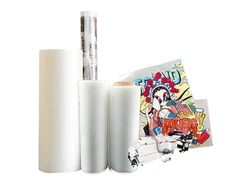
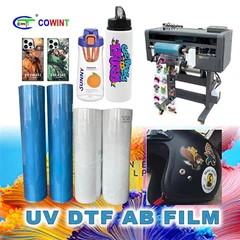
First things first, you need to pick the right transfer film for your project. There are different types of transfer films available, each with its own properties and suitability for various applications. For example, if you're looking for a film that offers a smooth finish and easy peeling, you might consider the COLD PEEL DOUBLE MATTE DTF FILM. This film is great for projects where you want a high-quality, long-lasting print.
On the other hand, if you need a film that allows for quick and easy transfer, the INSTANT PEEL DOUBLE MATTE DTF FILM could be a better choice. It's designed for fast production and can save you a lot of time.
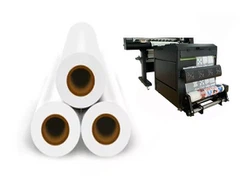
And if you're working on larger projects, the 60cm*100m PET Materials DTF Transfer Printing Film provides a generous amount of material, ensuring you have enough to complete your job.


Prepare Your Design
Once you've selected the right transfer film, it's time to prepare your design. Start by using high-resolution images. Low-resolution images can result in pixelated and blurry prints. Make sure your images are at least 300 DPI (dots per inch) for the best results.
Adjust the contrast and brightness of your design to enhance the details. A well-balanced design will print more clearly on the transfer film. You can use image editing software like Adobe Photoshop to make these adjustments easily.
Also, consider the color scheme of your design. Some colors may print more vividly than others on certain transfer films. Test different color combinations on a small piece of film before printing your entire design to see which ones work best.
Print Your Design
When it comes to printing, using the right printer and ink is essential. Make sure your printer is compatible with the transfer film you're using. Some printers are specifically designed for transfer printing and can provide better results.
Use high-quality ink that is formulated for transfer printing. Cheap or low-quality ink can clog the printer nozzles and result in uneven or faded prints. Follow the manufacturer's instructions for loading the transfer film into the printer to ensure proper alignment and feeding.
Print a test image first to check for any issues. Look for any smudging, streaks, or color discrepancies. If you notice any problems, adjust the printer settings such as the print quality, color saturation, or paper type until you get the desired result.
Transfer the Pattern
After printing, it's time to transfer the pattern onto the final substrate. Preheat your heat press or other transfer device to the recommended temperature for the transfer film you're using. Different films have different temperature requirements, so it's important to follow the instructions carefully.
Place the printed transfer film on the substrate with the printed side facing down. Make sure it's aligned correctly and there are no wrinkles or air bubbles. Use a heat-resistant tape to secure the edges of the film if necessary.
Apply pressure evenly across the transfer film using the heat press or other transfer device. The pressure and time settings also depend on the type of film and substrate. Too little pressure or time may result in an incomplete transfer, while too much can damage the film or the substrate.
Once the transfer is complete, let the substrate cool down before peeling off the transfer film. Peeling it off too soon can cause the pattern to smudge or lift off.
Maintain Your Equipment
Regular maintenance of your printing and transfer equipment is crucial for ensuring clear prints. Clean your printer heads regularly to prevent clogging. You can use a printer head cleaning solution or follow the manufacturer's recommended cleaning procedure.
Keep your heat press or other transfer device in good condition. Check the heating element and pressure pads regularly for any signs of wear or damage. Replace any worn-out parts as needed to ensure consistent performance.
Store Your Transfer Film Properly
Proper storage of your transfer film can also affect the clarity of the printed patterns. Store the film in a cool, dry place away from direct sunlight and moisture. Exposure to heat, humidity, or light can damage the film and affect its printing properties.
Keep the film in its original packaging or a sealed container to protect it from dust and debris. If you have any unused film, make sure to seal it tightly after each use to prevent it from drying out or getting contaminated.
Conclusion
Ensuring the clarity of printed patterns on transfer film requires a combination of choosing the right materials, preparing your design carefully, using the correct printing and transfer techniques, maintaining your equipment, and storing the film properly. By following these tips, you can achieve sharp, clear, and long-lasting prints every time.
If you're interested in purchasing high-quality transfer film for your projects, feel free to reach out to us. We're here to help you find the best solution for your specific needs. Whether you're a small business owner, a hobbyist, or a large-scale manufacturer, we have the products and expertise to support you.
References
- General knowledge from the transfer film industry
- Manufacturer's instructions for transfer films and printing equipment