


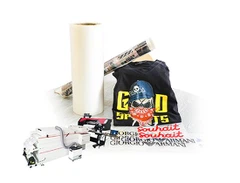
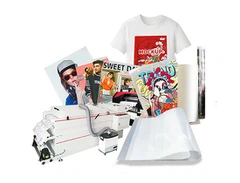

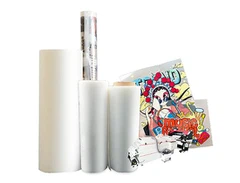
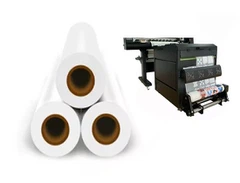







Product delivery
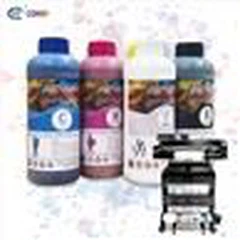
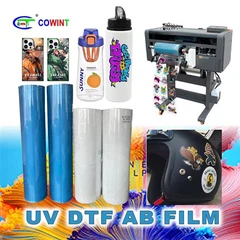
To fully understand DTF printing, you must first understand what DTF stands for. DTF is an acronym for "Epson inkjet printer pet film dtf roll". To do the DTF process, you need an image printed on a DTF printer. When a DTF printer prints your image, it uses four full colors to produce the same photo. A four-color color scheme is printed on the Epson inkjet printer pet film dtf roll , which also dictates the intensity of the image when transferred onto plain fabric or other materials. DTF printing requires proper heat transfer, whether you're transferring to a canvas bag or a bulk preform. Now that you know the basics of DTF, here's why you should consider using it in your next project

Peel Off Easy to tear
Easy to separate and clean Difficult to separate and tear clean

Oil Return Easy to return oil
Easy to separate and clean Difficult to separate and tear clean

Chromatic aberration The color is not bright
excellent color brilliance Difficult to separate and tear clean

EDGE Unclear edge
There's no imaginary edge Visible shirt hem
 Sticky powder Serious powder sticking
There was no sign of sticky powder Obvious signs of sticky powder
Product details
Sublimation dyes identify as printed materials because the materials contain the ink and the printed image. DTF printing is also easier on the material because it is the hot glue on the back of the DTF plate that is attached to the material, not the ink itself.
description (quality, characteristics)
It changes
Have you ever had a print on fabric and when you stretched the fabric to install it, the image was torn, twisted, or distorted? With DTF images, you never have to worry about this because they have durable properties that ensure durability and longevity.
Lasting
You should not wash active materials such as T-shirts or dirty bags. With the DTF function, you can wash your artwork without any problems. Your photos will not fade or fade quickly.

Text application
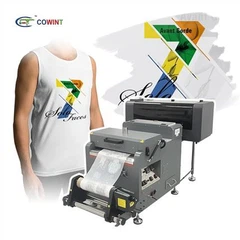
Epson inkjet printer pet film dtf roll is a new technology that allows users to transfer images from film to other media. For example, you can use this type of printing to make DIY t-shirts, because this method is suitable for transferring a t-shirt. Water-based inks are used to print on a special film that can be immediately stored or used for transfer.

How to use
Step 1: Place the image on the tape
Before printing your design or image, place the PET film in the printer. First write the white image, then write the color image on top of the white.
Step 2: Use the powder
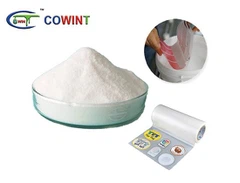
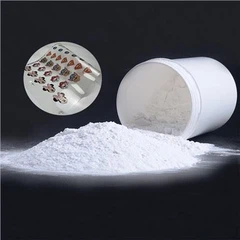
Then pour the hot powder onto the film where the film will be placed. Note that it is very important to use as much powder as possible when the print is wet and thoroughly wipe off any excess. For better performance, you can use automatic shutter.
Step 3: Knead the dough
After applying DTF powder to the foil, it is time to dissolve the powder. This is usually done by placing the foil in a curing oven and heating it for about 2-3 minutes.
Step 4: Run
You need to make sure the fabric is pre-ironed with a heat press to get the perfect smooth surface without wrinkles for print transfer. This process also helps the material to dry completely.
Step 5: transfer your images
While you don't need to transfer the DTF film right away (you can save it for future use), you can start transferring the image to fabric after taking the first four steps. Place the PET film containing the image and the melted powder on the material of the heat press to ensure firm adhesion.
Step 6: skin
Allow the foil to cool down, and then remove it from the cloth. You want to avoid removing it directly from the heat press, as the hot melt powder acts as a kind of glue when it cools down, helping to ensure that the ink adheres well to the fabric.
Step 7: Finish printing
This step is optional, but you may want to do so for best washing and wiping results. Transfer the fabric to the press and press for another 10 seconds

Hot Tags: epson inkjet printer pet film dtf roll, China, suppliers, manufacturers, factory, customized, wholesale, instant peel single matte dtf film quality, dtf film advantage with instant peel single matte, instant peel film characteristic dtf single matte, dtf film printer with instant peel single matte, instant peel film printer dtf single matte, single matte dtf film cutter with instant peel feature


![[NEW] Offset Inkjet Printer Heat Transfer Printing Machine](/uploads/202129042/small/offset-heat-transfer-machine29057275291.jpg?size=78x0)
![[NEW] Heat Transfer Printing Machine Digital DTF Printer For Heat Transfer Label](/uploads/202129042/small/heat-transfer-sticker-printing-machine06111212157.jpg?size=78x0)
![[NEW] Pressing Machine for heat Transfer Printing Industry](/uploads/202129042/small/pressing-machine09015456498.jpg?size=78x0)
![[NEW] Heat Transfer Heat Press Machine](/uploads/202129042/small/heat-transfer-machine04587929062.jpg?size=78x0)