












Adjusting the transfer pressure for transfer sheets is a crucial step in achieving high - quality transfers. As a transfer sheet supplier, I understand the importance of getting this right, and I'm here to share some in - depth knowledge on how to adjust the transfer pressure effectively.
Understanding the Basics of Transfer Pressure
Transfer pressure plays a vital role in the transfer process. It affects how well the ink or design on the transfer sheet adheres to the substrate. Insufficient pressure may result in incomplete transfers, where parts of the design do not stick properly, leading to a patchy or faded appearance. On the other hand, excessive pressure can cause the ink to spread out too much, blurring the design, or even damage the substrate.


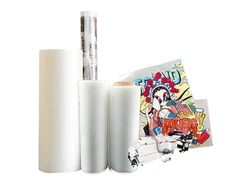
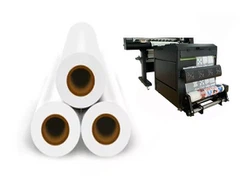
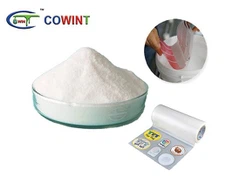
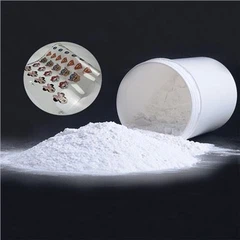
The ideal transfer pressure depends on several factors, such as the type of transfer sheet, the substrate material, and the transfer method. For example, different transfer sheets, like Cowint DTF Film Heat Transfer Direct To Film, have different requirements. DTF transfer sheets usually require a certain amount of pressure to ensure that the powder and ink are well - bonded to the fabric. Similarly, Transfer Film and Heat Transfer also have their own pressure preferences based on their unique characteristics.
Factors Affecting Transfer Pressure
- Transfer Sheet Type:
- Thermal Transfer Sheets: These sheets rely on heat and pressure to transfer the ink. The ink is usually in a solid form on the sheet, and when heated, it melts and transfers to the substrate. Different thermal transfer sheets may have different melting points and ink viscosities, which means they need different pressures to achieve a good transfer. For example, some high - quality thermal transfer sheets with thick inks may require higher pressure to ensure complete transfer.
- Sublimation Transfer Sheets: Sublimation transfer works by turning the ink from a solid to a gas state without going through the liquid phase. The pressure in sublimation transfer helps to keep the sheet in close contact with the substrate, allowing the gas - phase ink to penetrate the fibers of the substrate. However, the pressure requirements are generally lower compared to thermal transfer because the ink is transferred in a gaseous state.
- Substrate Material:
- Fabrics: Different fabrics have different textures and densities. For example, cotton fabrics are relatively porous, and they can absorb the ink well. However, they may require a moderate amount of pressure to ensure that the ink penetrates the fibers evenly. Synthetic fabrics, on the other hand, are often smoother and less porous. They may need higher pressure to force the ink to adhere properly.
- Plastics and Metals: These substrates are usually harder and less absorbent than fabrics. Transferring to plastics and metals often requires higher pressure to ensure that the ink bonds to the surface. Additionally, the surface finish of plastics and metals, such as glossy or matte, can also affect the pressure requirements.
- Transfer Method:
- Heat Press: Heat presses are commonly used for transfer sheet applications. The pressure in a heat press can be adjusted using a pressure control mechanism. Some heat presses have a manual pressure adjustment knob, while others are electronically controlled. The pressure setting on a heat press should be calibrated according to the transfer sheet and substrate combination.
- Roll - to - Roll Transfer: In roll - to - roll transfer systems, the pressure is applied by the rollers. The tension of the rollers and the speed of the transfer process also affect the effective transfer pressure. Adjusting the roller tension and speed is crucial for achieving consistent transfer results.
How to Adjust Transfer Pressure
- Initial Testing:
- Before starting a large - scale transfer project, it's essential to conduct some initial tests. Cut a small piece of the transfer sheet and substrate and perform a test transfer. Start with a medium pressure setting and gradually increase or decrease it based on the results. For example, if the transfer is incomplete, increase the pressure slightly; if the design is blurred, decrease the pressure.
- Keep a record of the pressure settings, transfer time, and temperature for each test. This will help you establish a baseline for future transfers.
- Using a Pressure Gauge:
- A pressure gauge can be a valuable tool for accurately adjusting the transfer pressure. If your heat press or transfer equipment is not equipped with a pressure gauge, you can purchase an external one. Place the pressure gauge between the transfer sheet and the substrate during the test transfer. This will give you an accurate reading of the pressure applied.
- Based on the gauge reading, you can make precise adjustments to the pressure control mechanism of your equipment.
- Adjusting for Different Substrates and Transfer Sheets:
- As mentioned earlier, different substrates and transfer sheets require different pressures. Once you have determined the optimal pressure for a particular combination, make a note of it. When working with a new substrate or transfer sheet, start with the closest known setting and then fine - tune it through testing.
- For example, if you are used to transferring to cotton fabrics with a certain transfer sheet at a pressure of 50 psi, and you want to transfer to a polyester fabric with the same sheet, start with a slightly higher pressure, say 55 psi, and then adjust based on the test results.
Troubleshooting Transfer Pressure Issues
- Incomplete Transfers:
- If you notice that parts of the design are not transferring properly, it could be due to insufficient pressure. Check the pressure setting on your equipment and increase it slightly. Also, make sure that the transfer sheet is in full contact with the substrate. Any air bubbles or wrinkles in the sheet can prevent the ink from transferring evenly.
- Another possible cause could be a dirty or worn - out transfer sheet. Replace the sheet and try the transfer again.
- Blurred Designs:
- Blurred designs are often a result of excessive pressure. Reduce the pressure setting on your equipment and repeat the test transfer. Additionally, check the temperature and transfer time. Sometimes, high temperature combined with high pressure can cause the ink to spread out too much.
- Make sure that the substrate is stable during the transfer process. Any movement or vibration can also lead to blurred designs.
- Uneven Transfers:
- Uneven transfers can be caused by uneven pressure distribution. If you are using a heat press, check if the platen is level. An uneven platen can result in some areas receiving more pressure than others. Adjust the leveling of the platen if necessary.
- Also, ensure that the transfer sheet is placed evenly on the substrate. Any misalignment can lead to uneven pressure and transfer results.
Conclusion
Adjusting the transfer pressure for transfer sheets is a skill that requires patience and practice. By understanding the factors that affect transfer pressure, conducting proper testing, and troubleshooting common issues, you can achieve high - quality transfers consistently. As a transfer sheet supplier, I'm committed to providing you with the best products and the knowledge to use them effectively.
If you are interested in purchasing our transfer sheets or have any questions about the transfer process, we would be more than happy to assist you. Feel free to reach out to us for more information and to start a procurement discussion.
References
- "The Handbook of Heat Transfer Printing" by John Smith
- "Advanced Transfer Sheet Technologies" by Emily Brown
- Industry research reports on transfer printing processes.