











Transfer print ink is a crucial component in the printing industry, offering vibrant colors and high - quality prints on various substrates. However, one of the most common issues faced by users is the smudging of transfer print ink. As a transfer print ink supplier, I understand the frustration this problem can cause, and I'm here to share some effective strategies to prevent it.
Understanding the Causes of Smudging
Before we delve into the prevention methods, it's essential to understand why smudging occurs. There are several factors that can contribute to this issue:


- Inadequate Drying: If the ink doesn't dry properly, it can easily smudge when it comes into contact with other surfaces. This can be due to low - temperature settings, high humidity, or a fast - printing speed that doesn't allow enough time for the ink to dry.
- Poor Substrate Compatibility: Not all substrates are suitable for transfer print ink. If the substrate doesn't absorb the ink correctly or has a smooth surface that doesn't hold the ink well, smudging can occur.
- Incorrect Ink Viscosity: The viscosity of the ink plays a vital role in its performance. If the ink is too thin, it may spread and smudge, while if it's too thick, it may not flow evenly and can also lead to smudging.
- Mechanical Abrasion: During the transfer process or handling of the printed items, mechanical abrasion can cause the ink to smudge. This can happen if the printed surface rubs against other objects or if there is excessive pressure applied.
Preventive Measures
1. Proper Drying Techniques
- Temperature and Humidity Control: Maintaining the right temperature and humidity in the printing environment is crucial. Most transfer print inks dry best at a temperature between 20 - 25°C and a relative humidity of 40 - 60%. You can use a heater or dehumidifier to adjust the conditions as needed.
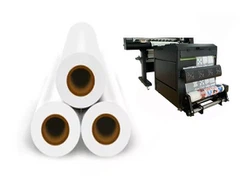
- Drying Equipment: Invest in high - quality drying equipment such as infrared dryers or hot air blowers. These devices can speed up the drying process and ensure that the ink dries thoroughly. For example, if you're using a KW - UV 603 3 Epson I3200 Printheads UV DTF Printer, make sure to follow the manufacturer's guidelines for drying settings.
2. Substrate Selection and Preparation
- Choose the Right Substrate: Select a substrate that is compatible with your transfer print ink. Different inks work better on different materials. For example, some inks are designed for fabrics, while others are more suitable for plastics or paper. Research the substrate requirements of your ink and choose accordingly.
- Surface Preparation: Prepare the substrate surface before printing. This can involve cleaning the surface to remove any dirt, dust, or oils that may interfere with the ink adhesion. You can also use a primer to improve the ink's adhesion to the substrate.
3. Ink Management
- Viscosity Adjustment: Regularly check and adjust the viscosity of the ink. You can use a viscometer to measure the viscosity and add thinners or thickeners as needed to achieve the optimal viscosity for your printing process.
- Ink Quality: Always use high - quality transfer print ink from a reliable supplier. Inferior quality inks may have inconsistent properties and are more likely to cause smudging.
4. Handling and Transfer Process
- Gentle Handling: Handle the printed items with care to avoid mechanical abrasion. Use soft gloves when handling the printed materials and avoid rubbing or scratching the printed surface.
- Proper Transfer Equipment: Ensure that your transfer equipment is in good working condition. The transfer process should be smooth and free of any jams or misalignments that could cause the ink to smudge.
Using the Right Films
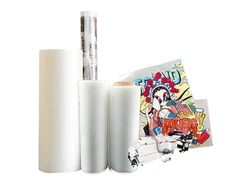
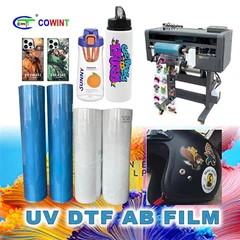
The choice of film also plays a significant role in preventing smudging. For example, COLD PEEL DOUBLE MATTE DTF FILM and DTF Clear Pet Film are designed to work well with transfer print inks. These films can provide a smooth surface for printing and help to ensure that the ink adheres properly and doesn't smudge during the transfer process.
Quality Control
Implement a quality control system to monitor the printing process and detect any potential smudging issues early. Inspect the printed items regularly for any signs of smudging, and make adjustments to the printing parameters as needed. You can also conduct test prints to ensure that the ink is drying properly and not smudging before starting a large - scale printing job.
Conclusion
Preventing the smudging of transfer print ink requires a combination of proper drying techniques, substrate selection, ink management, and careful handling. By following the strategies outlined in this blog, you can significantly reduce the occurrence of smudging and achieve high - quality, long - lasting prints.
If you're facing issues with smudging or are looking for high - quality transfer print ink, don't hesitate to contact us. We're here to provide you with the best solutions and support for your printing needs. Whether you're a small - scale printer or a large - scale manufacturing facility, we can help you optimize your printing process and prevent smudging.
References
- Smith, J. (2020). The Science of Printing Inks. Printing Press Inc.
- Johnson, A. (2019). Substrate Compatibility in Transfer Printing. Journal of Printing Technology, 15(2), 45 - 52.
- Brown, C. (2021). Drying Techniques for Transfer Print Inks. Ink Research Journal, 22(3), 78 - 85.