













As a seasoned supplier in the transfer printing industry, I've witnessed a wide array of challenges that printers and businesses face on a daily basis. Transfer printing, a versatile and popular method used to apply designs onto various substrates, comes with its own set of common problems. In this blog, I aim to shed light on these issues and provide practical solutions to ensure your transfer printing projects run smoothly and yield high-quality results.
Faded or Blurred Prints
One of the most prevalent problems in transfer printing is the occurrence of faded or blurred prints. This issue can significantly impact the visual appeal of your final product and lead to customer dissatisfaction. There are several factors that can contribute to faded or blurred prints, including poor printhead performance, incorrect ink settings, and inadequate substrate preparation.
-
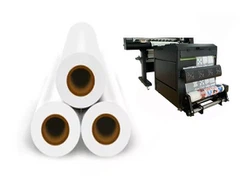
Printhead Performance: A clogged or malfunctioning printhead can cause inconsistent ink delivery, resulting in faded or blurred prints. To avoid this issue, it's essential to regularly clean and maintain your printheads. Use a high-quality printhead cleaning solution and follow the manufacturer's recommended cleaning procedures. If you're using the KW - UV 603 3 Epson I3200 Printheads UV DTF Printer, refer to the user manual for specific printhead maintenance instructions.
-
Ink Settings: Incorrect ink settings, such as improper ink density or viscosity, can also lead to faded or blurred prints. Make sure to adjust the ink settings according to the type of substrate and the desired print quality. Consult the ink manufacturer's guidelines for the recommended settings and perform test prints to fine - tune the parameters.
-
Substrate Preparation: The surface of the substrate plays a crucial role in the transfer printing process. A dirty or uneven substrate can prevent proper ink adhesion, resulting in faded or blurred prints. Clean the substrate thoroughly before printing and ensure that it is dry and free of contaminants. Some substrates may require pre - treatment to improve ink adhesion.
Peeling or Cracking of Transferred Images
Another common problem in transfer printing is the peeling or cracking of transferred images. This can occur when the transfer material does not adhere properly to the substrate or when the transferred image is stressed during handling or use.
-
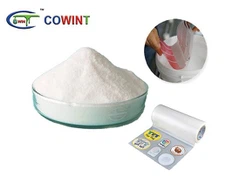
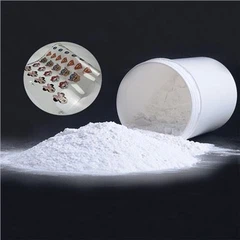
Adhesive Quality: The quality of the adhesive used in the transfer material is a key factor in preventing peeling or cracking. Choose a high - quality Transfer Printing Material that is specifically designed for your substrate type. Different substrates, such as textiles, plastics, and metals, require different types of adhesives for optimal adhesion.
-
Heat and Pressure Application: During the transfer process, the application of heat and pressure is critical for ensuring proper adhesion. Insufficient heat or pressure can result in poor adhesion, while excessive heat or pressure can damage the transfer material or the substrate. Follow the recommended heat and pressure settings for your transfer material and substrate combination. Use a heat press or a laminator with precise temperature and pressure controls to achieve consistent results.
-
Stress during Handling: After the transfer is complete, handle the printed substrate with care to prevent stress on the transferred image. Avoid bending or stretching the substrate, especially while it is still warm. If the printed item will be subjected to mechanical stress during use, consider using a protective coating to enhance the durability of the transferred image.
Color Inconsistency
Color inconsistency is a frustrating problem that can occur in transfer printing. It can be caused by variations in ink quality, printhead performance, substrate characteristics, and environmental conditions.
-
Ink Quality: Different batches of ink may have slight variations in color, even if they are from the same manufacturer. To minimize color inconsistency, purchase ink from a reputable supplier and try to use ink from the same batch for a single project. If you need to use multiple batches, perform test prints to ensure color matching.
-
Printhead Calibration: Regularly calibrate your printheads to ensure accurate color reproduction. Printhead misalignment or clogging can cause color shifts and variations. Follow the printer manufacturer's calibration procedures to maintain consistent print quality.
-
Substrate Variations: The color and texture of the substrate can affect the final printed color. Different fabrics, plastics, or metals may absorb or reflect ink differently. Perform pre - tests on a small area of the substrate to adjust the color settings and ensure that the printed color matches your expectations.
-
Environmental Conditions: Temperature and humidity can also impact color consistency. High humidity can cause ink to dry more slowly, potentially leading to color bleeding or smudging. Keep your printing environment at a stable temperature and humidity level to minimize these effects.
Blocked Printheads
Blocked printheads are a major headache in transfer printing, as they can disrupt the printing process and lead to poor print quality. Blockages can occur due to dried ink, debris, or improper ink storage.
-
Regular Cleaning: As mentioned earlier, regular printhead cleaning is essential for preventing blockages. Use a printhead cleaning solution recommended by the printer manufacturer and perform cleaning cycles at the recommended intervals. If you notice a decrease in print quality or if the printer reports a printhead error, perform a deep cleaning immediately.
-
Ink Storage: Store your ink properly to prevent contamination and drying. Keep the ink bottles tightly sealed and store them in a cool, dry place. Avoid exposing the ink to extreme temperatures or direct sunlight, as this can cause the ink to thicken or solidify.
-
Flush the System: If you suspect a blockage, try flushing the printhead system with a cleaning solution or fresh ink. Follow the printer's flushing procedure carefully to ensure that all blockages are removed.


Solutions and Best Practices
To address these common problems effectively, it's important to implement a comprehensive quality control system. This includes regular maintenance of your printing equipment, proper storage and handling of materials, and thorough testing before starting large - scale production.
-
Training and Education: Ensure that your printing staff is properly trained on the operation and maintenance of the printing equipment. Provide them with regular training sessions to keep them updated on the latest techniques and best practices in transfer printing.
-
Quality Assurance Checks: Implement a series of quality assurance checks throughout the printing process. Inspect the substrates before printing, monitor the print quality during production, and perform final inspections on the finished products. This will help you catch any issues early and prevent defective products from reaching the market.
-
Use High - Quality Materials: Invest in high - quality Heat Transfer Materials and inks to ensure the best possible results. Cheaper materials may seem like a cost - effective option in the short term, but they can lead to more problems and ultimately cost you more in terms of rework and customer dissatisfaction.
Conclusion
Transfer printing is a powerful and versatile printing method, but it does come with its own set of challenges. By being aware of the common problems and implementing the solutions outlined in this blog, you can significantly improve the quality and efficiency of your transfer printing processes.
If you're facing any issues with your transfer printing projects or if you're interested in exploring our high - quality transfer printing materials and equipment, I encourage you to reach out for a procurement discussion. We're committed to helping you overcome challenges and achieve outstanding results in your transfer printing endeavors.
References
- Manufacturer's manuals for transfer printing equipment and materials.
- Industry publications on printing technology and best practices.